How AI image models have improved
From early Midjourney experiments to GPT Image and Nano Banana: a visual look at detail, editing and creative control.
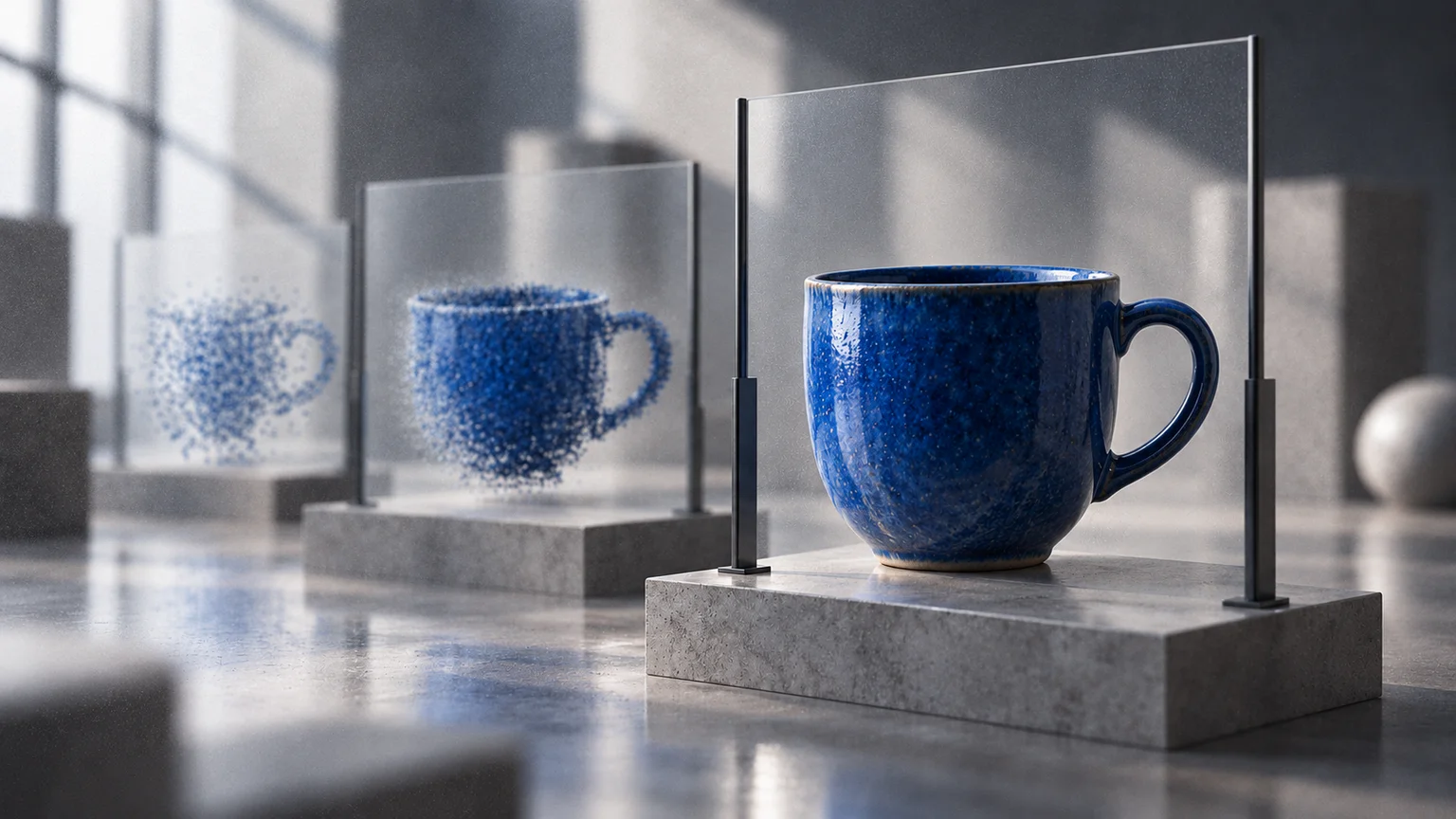
The early promise of AI imagery was possibility: type a few words and see something unexpected. The more useful development is control. Can you preserve a subject, change a specific detail and carry an idea through several revisions?
This visual tour looks at early Midjourney models, GPT Image and Google's Nano Banana. It is not a league table. The examples come from different people, prompts and publication dates; they illustrate changes in capability, not a fair head-to-head test.
Early Midjourney: the idea appears before the detail settles
Midjourney's legacy documentation dates V1, V2 and V3 to 2022. It describes V1 and V2 as painterly with low coherence, and V3 as more coherent. Those early models were compelling tools for exploring atmosphere, even when an image needed interpretation rather than close inspection.
MIDJOURNEY V1 · LEGACY MODEL

MIDJOURNEY V3 · LEGACY MODEL

MIDJOURNEY V6 · LATER COMPARISON

Look for the relationships between objects, not just detail. Does a building remain a building when you zoom in? Do foreground and background form a plausible space? A convincing generated city is still not a reliable photograph or geographic record.
Hands: a familiar test of structure
Hands make a useful comparison because they need more than convincing texture: fingers, joints and contact with an object must fit together. In this historical experiment, RBC Trends used the same prompt, “close-up hands playing piano”, across Midjourney V1–V5. Each image below shows the source's four-output grid rather than one chosen favourite. Inspect the variation within each version as well as the differences between versions; a polished surface does not guarantee correct anatomy.
MIDJOURNEY V1 · HANDS
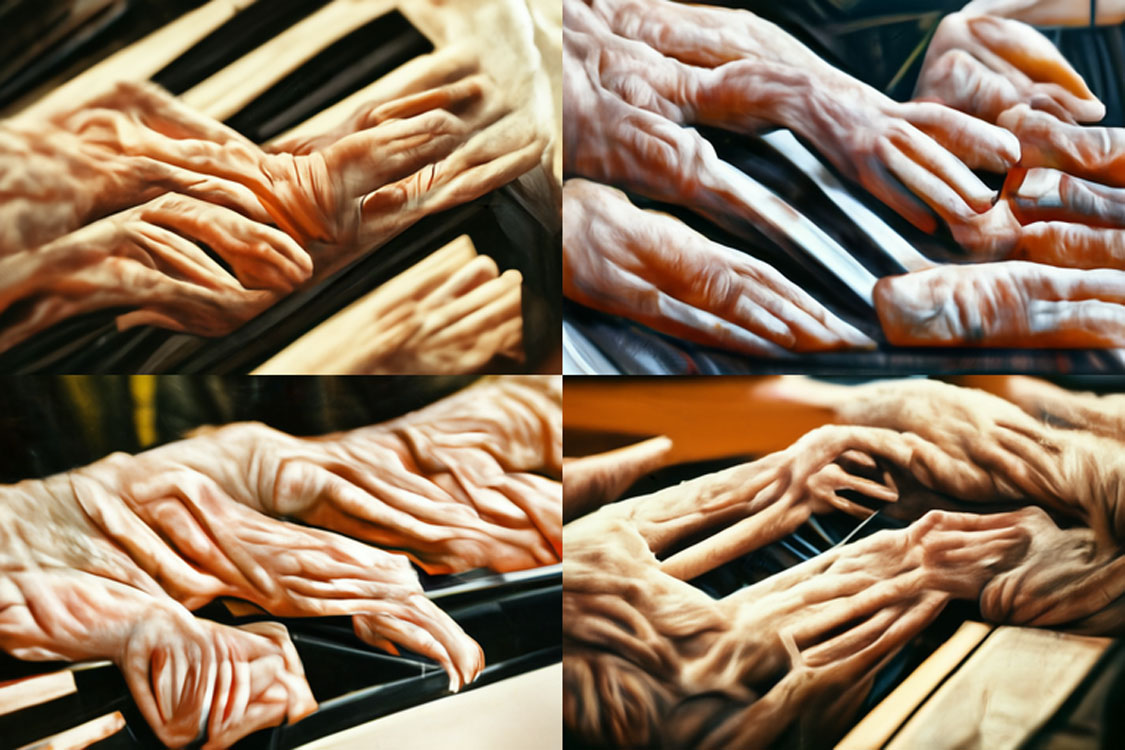
MIDJOURNEY V4 · HANDS
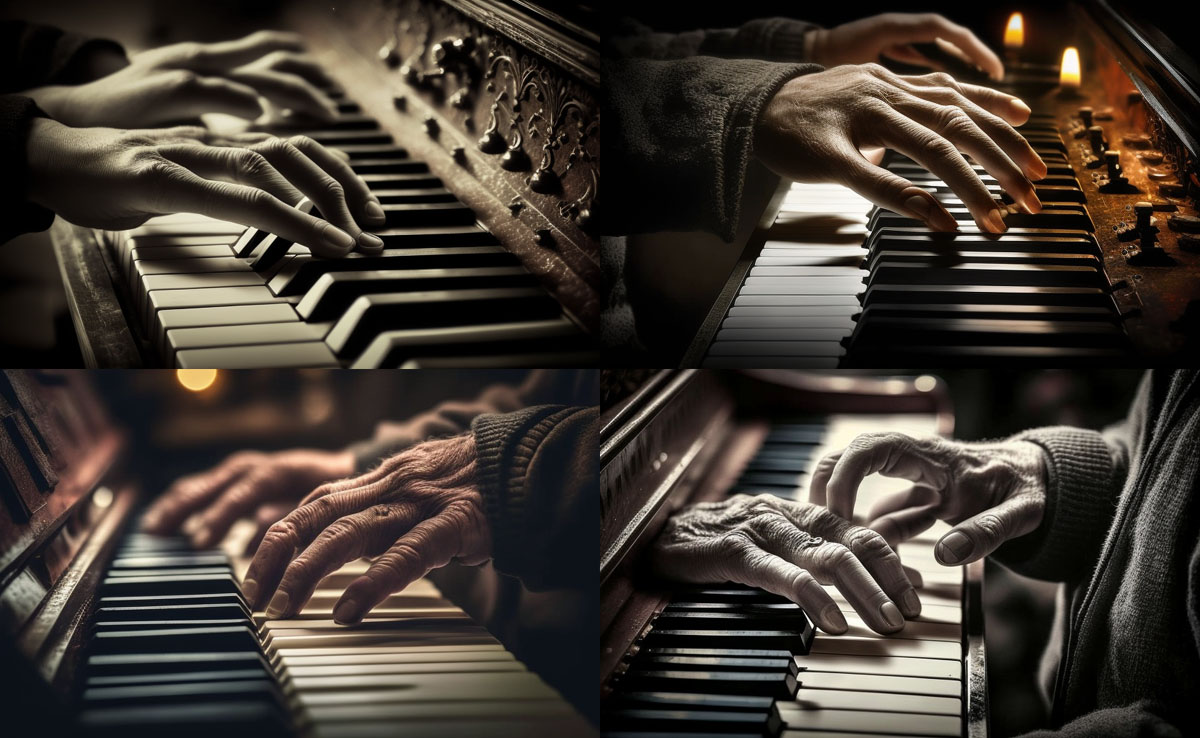
MIDJOURNEY V5 · HANDS
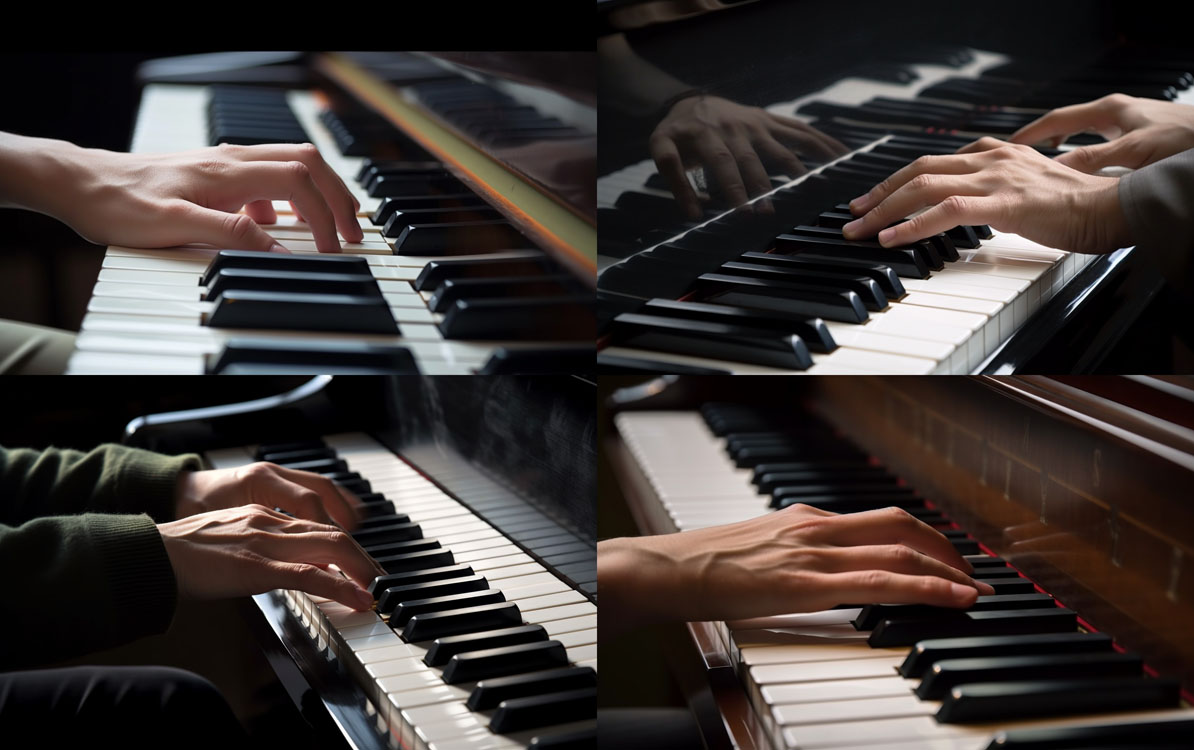
GPT Image: a specific change, without starting over
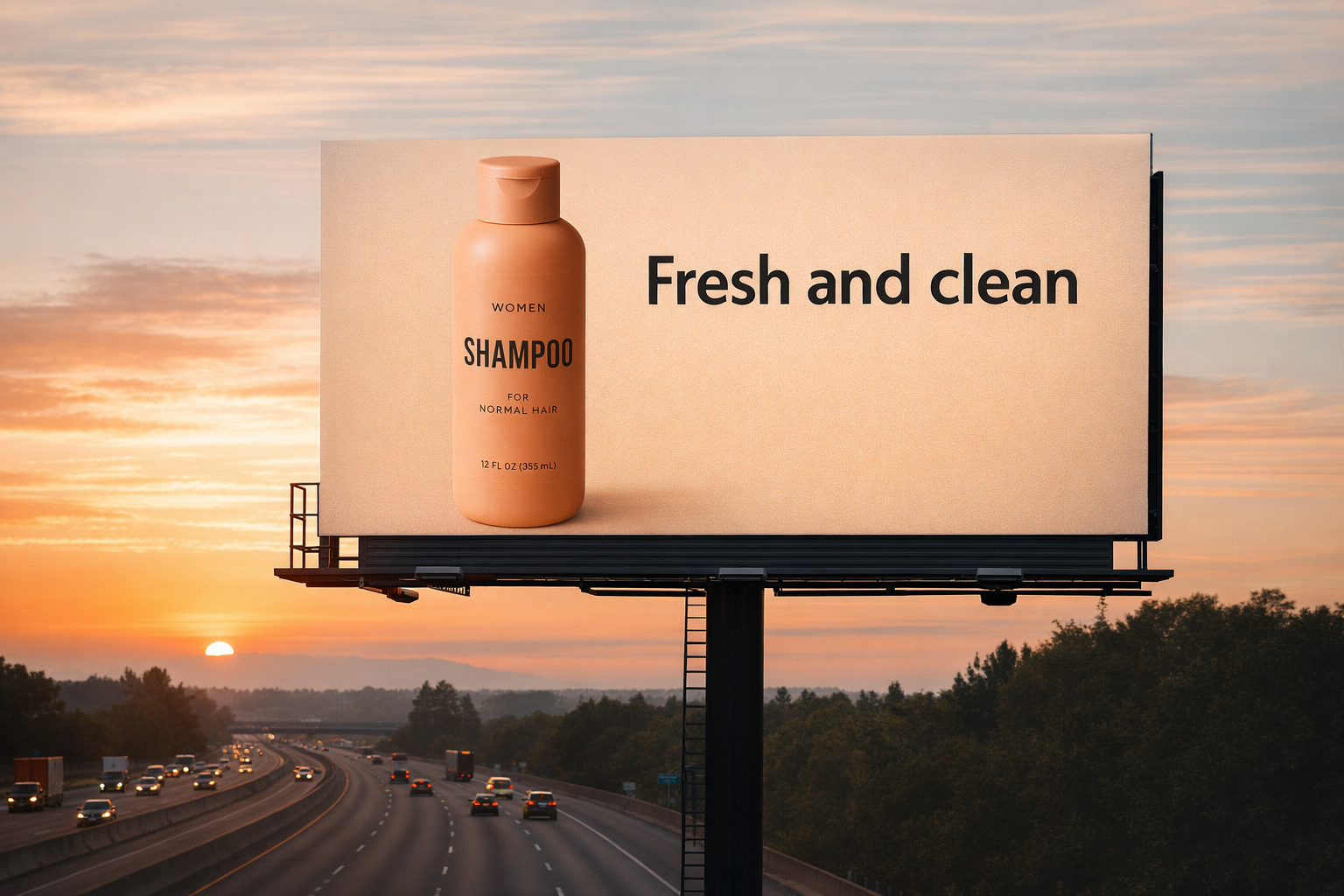
OpenAI's GPT Image 1.5 cookbook demonstrates a different kind of task: taking an existing scene and changing its conditions. In the example below, a billboard scene is edited into a snowy evening. Compare the layout, product and lettering as well as the added weather. Source: OpenAI's published prompting guide.
GPT IMAGE 1.5 · FIRST SCENE
GPT IMAGE 1.5 · WEATHER EDIT
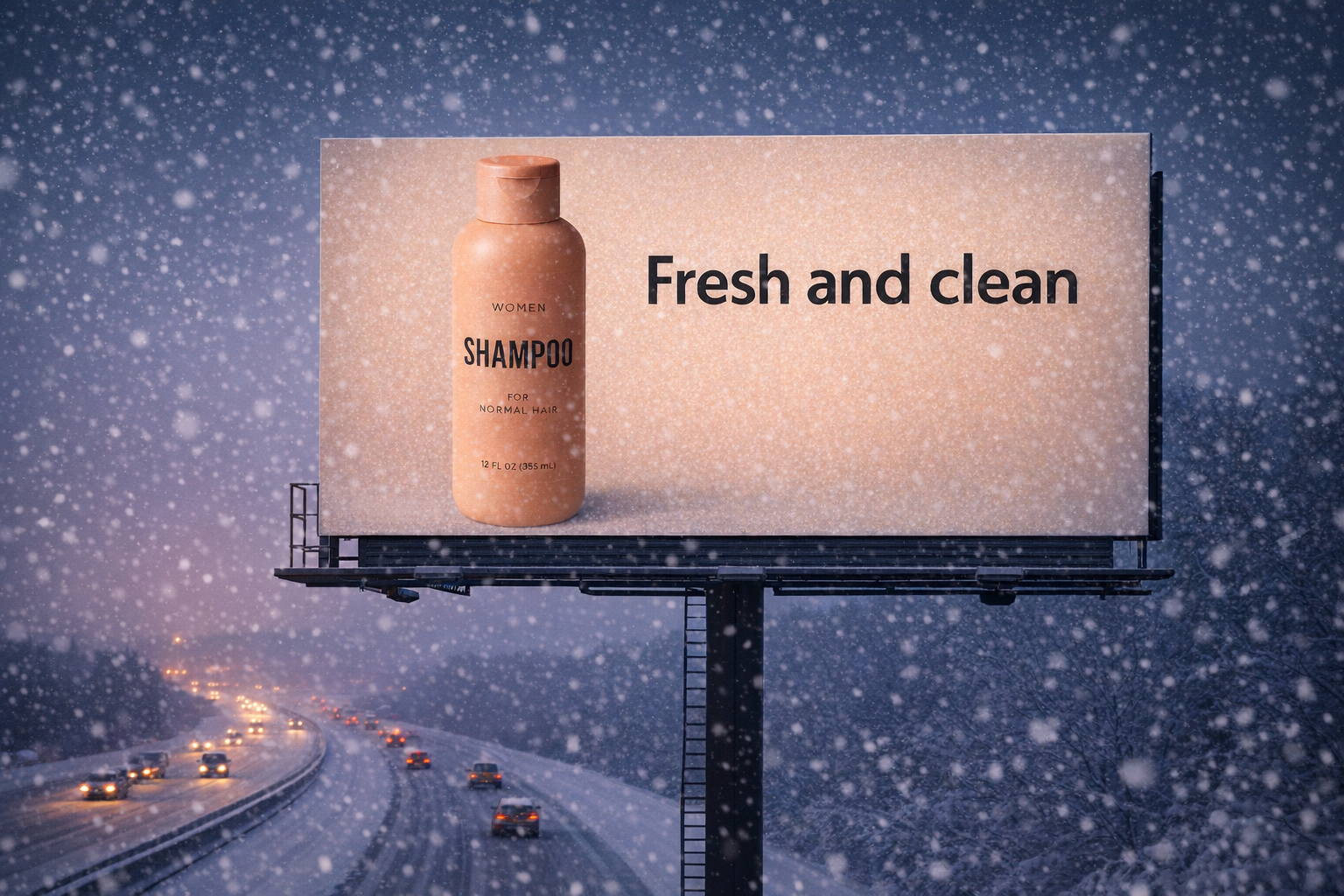
For a designer, that suggests a practical workflow: approve an image, identify exactly what needs to change, then inspect what the edit altered unintentionally. An attractive result is not enough if the product label, proportions or composition drift.
Nano Banana: changing the treatment while keeping the subject
Google's original Nano Banana showcase demonstrates image editing and subject preservation. Its cat-to-game-character example makes the intention easy to read: translate a recognisable subject into a different visual language. Source: Google's September 2025 showcase.
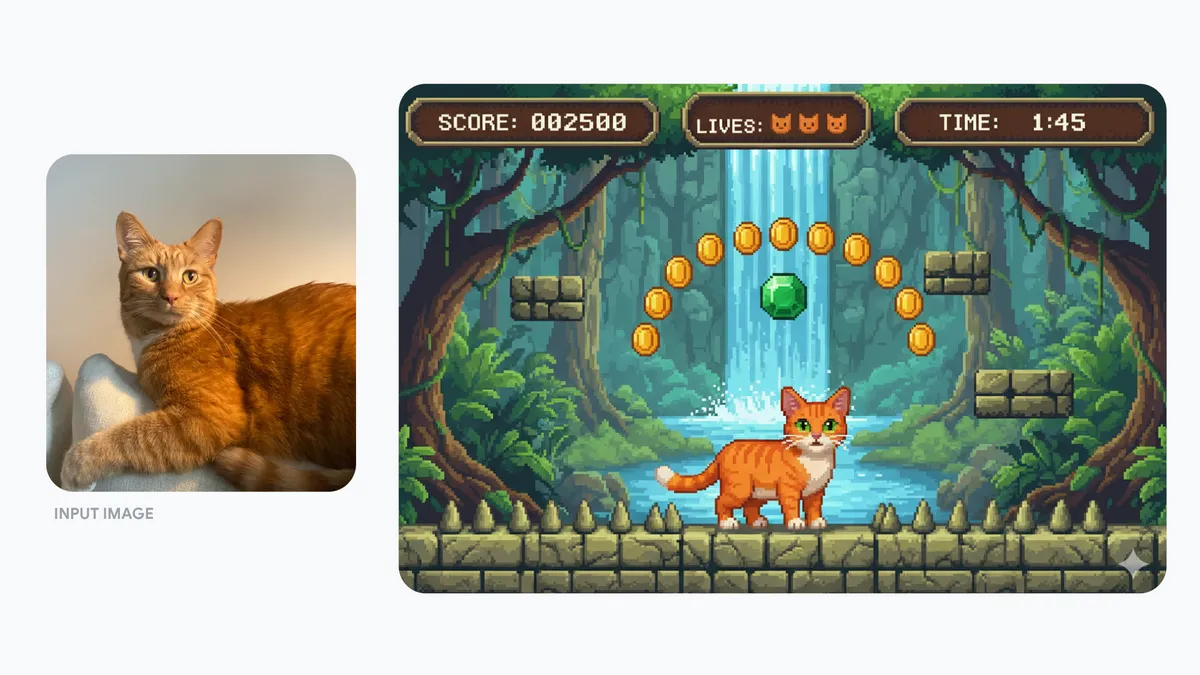
“Nano Banana” now describes a family, not one timeless model. Google's Nano Banana 2 announcement describes a later generation. Keep the actual version attached to each example: otherwise an old screenshot can quietly become a misleading claim about a newer release.
The improvement that matters is usable control
Sharper images are welcome. But the creative question is whether the output survives the brief. Can you maintain identity, reserve space for a headline and make a correction without losing the qualities you approved?
- Structure: inspect hands, edges, repeated objects and spatial relationships.
- Instruction: compare the result with the actual brief, not your first impression.
- Consistency: put related outputs side by side.
- Accuracy: check every product detail and every word.
- Finish: judge the image at its intended crop and delivery size.
A fair studio test would use the same brief, declared references, comparable formats and a recorded number of attempts. Show failures as well as favourites. These published examples are a starting point for that conversation, not a substitute for it.
Better tools expand the options. They do not decide which option is worth using. That remains the job of the person directing the work.
Put the control to work
Read Consistent campaign images with AI for a practical next step, or talk to Prompt Punks about your next visual brief.